Products and catalogue
DP – Catégories (liste, accordéon, rail)
Presents categories as Index, Accordéon or Rail. Choose source, descriptions and links; set initial and multiple opening for accordions. In manual mode, use it for directories or topic navigation. Test touch interaction on the rail and make sure every item is reachable.
What you fill in
The content fields of this widget, in the order of the Elementor panel. Appearance settings are gathered in the reference.
Design
| Label in the plugin | How to complete it |
|---|---|
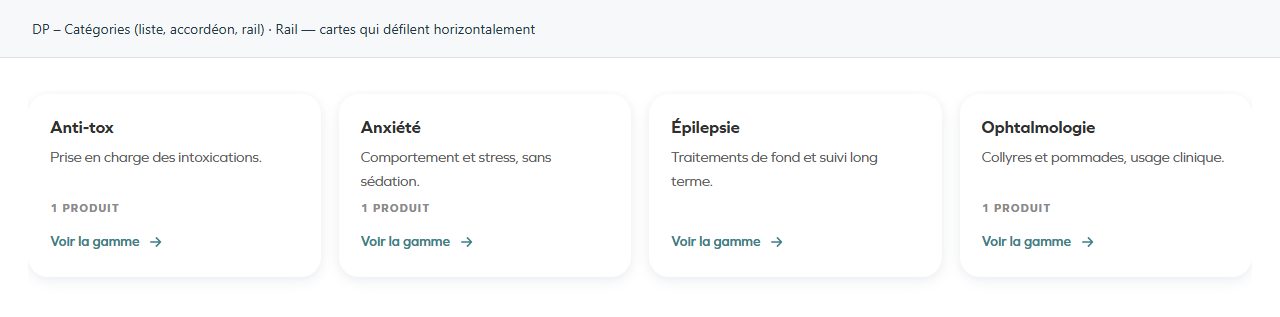
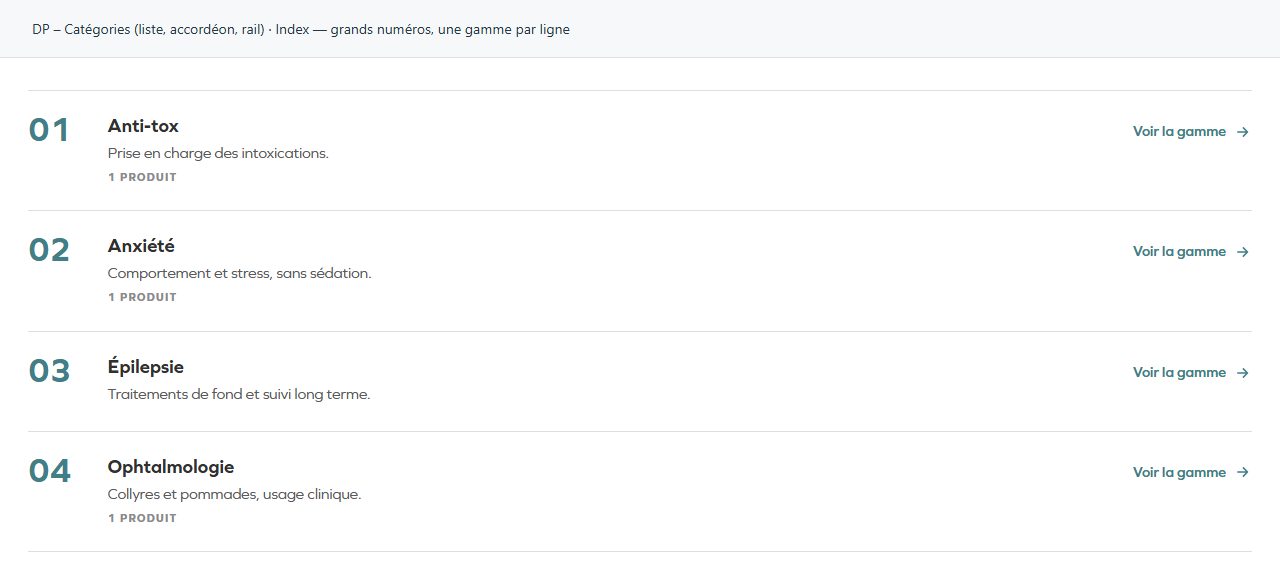
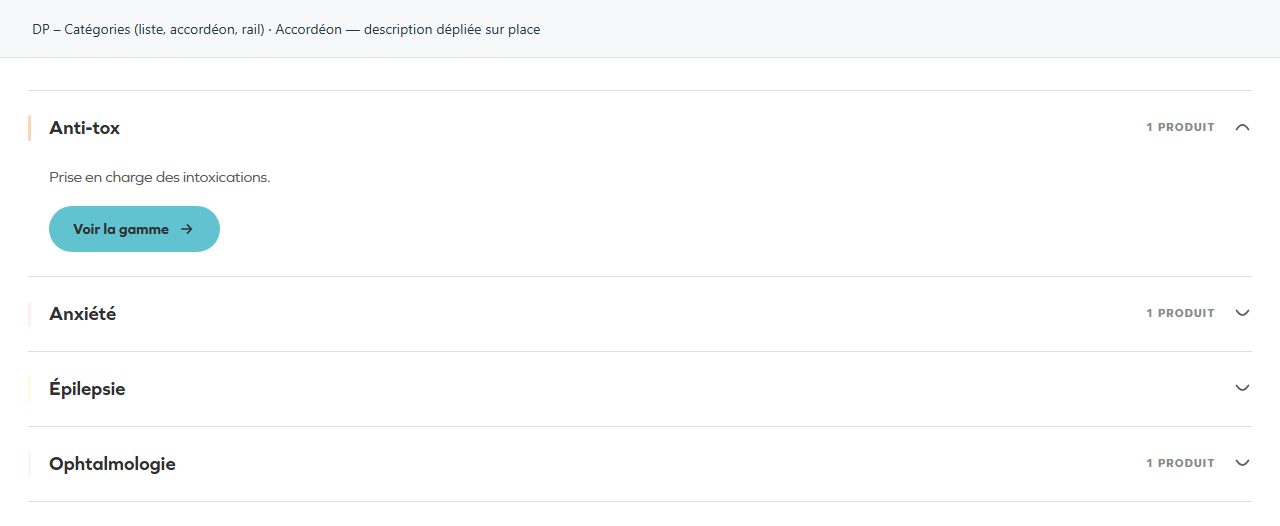
| Design | Choose an available option and check its effect in the preview. Options: Index — grands numéros, une gamme par ligne · Accordéon — description dépliée sur place · Rail — cartes qui défilent horizontalement. |
| Ouvrir la première gamme | Turn the option on or off, then check what appears. Visible when “Design” is Accordéon. |
| Signe d'ouverture | Choose an available option and check its effect in the preview. Options: Chevron · Arc du Ô — le circonflexe dôme · Plus / moins. Visible when “Design” is Accordéon. |
| Autoriser plusieurs gammes ouvertes | Sinon, ouvrir une gamme referme la précédente. Visible when “Design” is Accordéon. |
| Cartes visibles | Choose an available option and check its effect in the preview. Options: 1 · 2 · 3 · 4 · 5. Visible when “Design” is Rail. |
En-tête
| Label in the plugin | How to complete it |
|---|---|
| Sur-titre | Enter short, clear text. |
| Titre | Enter short, clear text. |
| Texte d’introduction | Enter the text, then check its length in the preview. |
| Alignement de l’en-tête | Choose a position or alignment that supports reading. Options: Gauche · Centre. |
| Texte du lien « voir tout » | Enter short, clear text. |
| Lien « voir tout » | Enter the full destination and test the link in the correct language. |
Gammes à afficher
| Label in the plugin | How to complete it |
|---|---|
| Source | Choose an available option and check its effect in the preview. Options: Une taxonomie produit · Saisie manuelle. |
| Taxonomie | Choose an available option and check its effect in the preview. Options: Gammes · Solutions · Espèces. Visible when “Source” is Une taxonomie produit. |
| Limiter à certains termes (Gammes) | Vide = toutes. L’ordre choisi ici est respecté, ce qui fixe aussi la numérotation du design Index. Options: Anti-tox · Anxiété · Épilepsie · Ophtalmologie. Visible when “Source” is Une taxonomie produit and “Taxonomie” is Gammes. |
| Limiter à certains termes (Solutions) | Vide = toutes. L’ordre choisi ici est respecté, ce qui fixe aussi la numérotation du design Index. Visible when “Source” is Une taxonomie produit and “Taxonomie” is Solutions. |
| Limiter à certains termes (Espèces) | Vide = toutes. L’ordre choisi ici est respecté, ce qui fixe aussi la numérotation du design Index. Options: Cat · Cow · Dog · Goat · Hamster · Horse · Lizard · Mouse …. Visible when “Source” is Une taxonomie produit and “Taxonomie” is Espèces. |
| Masquer les gammes sans produit | Turn the option on or off, then check what appears. Visible when “Source” is Une taxonomie produit. |
| Tri | Choose an available option and check its effect in the preview. Options: Nom · Nombre de produits · Identifiant (slug). Visible when “Source” is Une taxonomie produit. |
| Sens du tri | Choose an available option and check its effect in the preview. Options: Croissant · Décroissant. Visible when “Source” is Une taxonomie produit. |
| Nombre maximum de gammes | 0 = pas de limite. Visible when “Source” is Une taxonomie produit. |
| Gammes | Open each entry; add, duplicate or reorder the items you need. Visible when “Source” is Saisie manuelle. |
| ↳ Nom de la gamme | Enter short, clear text. |
| ↳ Description | Enter the text, then check its length in the preview. |
| ↳ Lien | Enter the full destination and test the link in the correct language. |
| ↳ Couleur de la gamme | Empty: the design colour applies. Check the contrast against the background. |
Affichage
| Label in the plugin | How to complete it |
|---|---|
| Afficher les descriptions | Turn the option on or off, then check what appears. |
| Afficher le nombre de produits | Une gamme sans produit n’affiche rien plutôt que « 0 produit ». Visible when “Source” is Une taxonomie produit. |
| Libellé du compteur (pluriel) | Enter short, clear text. Visible when “Source” is Une taxonomie produit and “Afficher le nombre de produits” is enabled. |
| Libellé du compteur (singulier) | Enter short, clear text. Visible when “Source” is Une taxonomie produit and “Afficher le nombre de produits” is enabled. |
| Texte du lien | Vide sur les designs Index et Rail = seule la flèche est affichée. L’accordéon garde toujours un bouton. |
| Couleur d’accent | Les couleurs de gamme se règlent dans Produits → Couleurs de gamme. Options: Couleur de la gamme · Couleur primaire de la charte. |
Available designs
Index — grands numéros, une gamme par ligne
Large numbers and rows. Suitable for a directory where order matters.
Accordéon — description dépliée sur place
Entries expand in place. Test opening, closing and each entry’s destination link.
Rail — cartes qui défilent horizontalement
Horizontally scrolling cards. Make sure visitors can tell that more entries are available.