Blog and resources
DP – Questions fréquentes
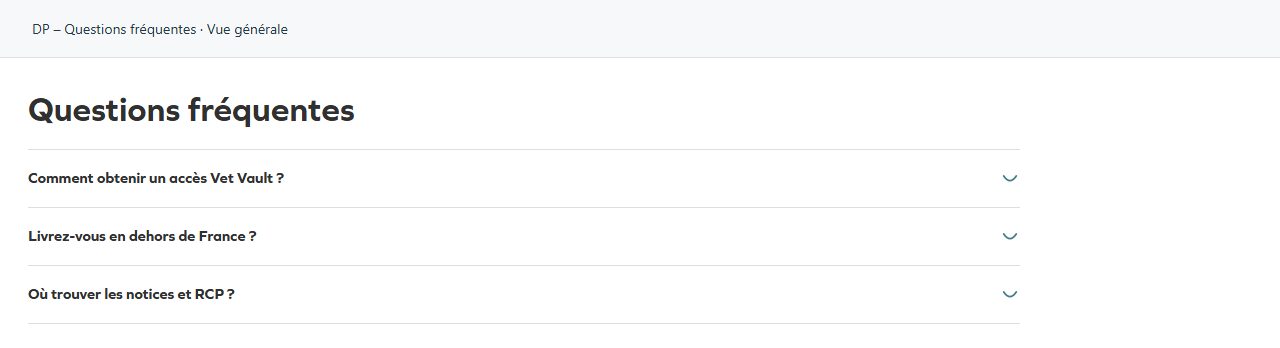
Organises questions and answers into an accordion. Add Questions and answers, select the opening marker and whether several answers may stay open. Also useful for explaining a process or preparing an appointment. Keep essential information easy to find; test keyboard operation and longer answers on mobile.
What you fill in
The content fields of this widget, in the order of the Elementor panel. Appearance settings are gathered in the reference.
Contenu
| Label in the plugin | How to complete it |
|---|---|
| Titre | Enter short, clear text. |
| Balise du titre | Choose an available option and check its effect in the preview. Options: H2 · H3 · H4 · Paragraphe. |
| Chapô | Enter the text, then check its length in the preview. |
| Questions | Open each entry; add, duplicate or reorder the items you need. |
| ↳ Question | Enter short, clear text. |
| ↳ Réponse | Write the content and use restrained formatting. |
| ↳ Ouverte au chargement | Turn the option on or off, then check what appears. |
Comportement
| Label in the plugin | How to complete it |
|---|---|
| Signe d'ouverture | Choose an available option and check its effect in the preview. Options: Plus / moins · Chevron · Arc du Ô — le circonflexe dôme. |
| Autoriser plusieurs réponses ouvertes | Décoché, ouvrir une question referme la précédente. |
| Balisage pour les moteurs de recherche | Décrit les questions en FAQPage, ce qui permet à Google de les afficher dépliées dans ses résultats. À éteindre si ces questions ne sont pas le sujet de la page. Un seul balisage est émis par page, même avec plusieurs blocs. |
Available designs
Overall view
Overall widget view. Use the content and options explained in this entry to adapt it to your page.