Conversion and services
DP – Formulaire
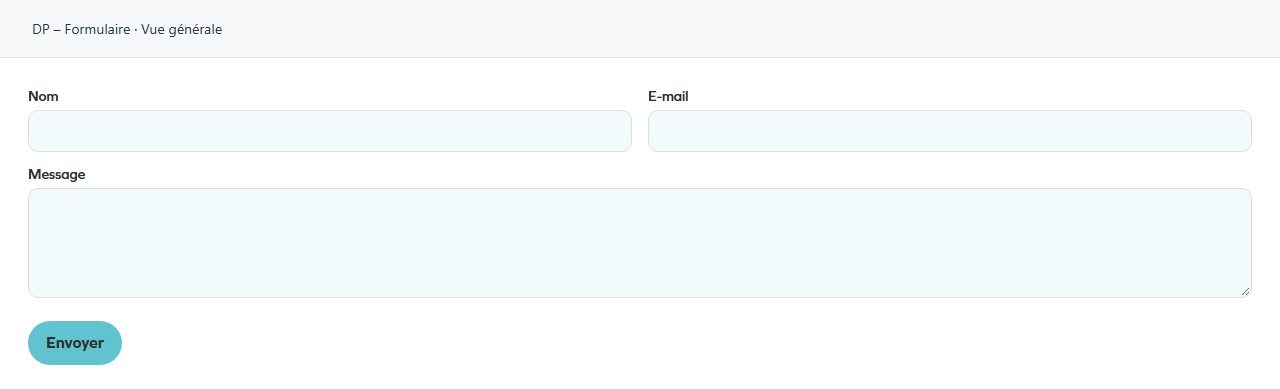
Collects a message using configurable fields. In the field list, check labels, types and required status; review the button and consent wording. Use for contact or information requests within the approved workflow. Confirm recipients and test receipt without changing administrator integrations.
What you fill in
The content fields of this widget, in the order of the Elementor panel. Appearance settings are gathered in the reference.
Paramètres
| Label in the plugin | How to complete it |
|---|---|
| Destinataire(s) (email) | Plusieurs adresses séparées par des virgules. |
| Sujet de l’email | Enter short, clear text. |
| Champ à utiliser pour Reply-To (optionnel) | Saisir le "Nom technique" d’un champ email (ex: email). |
| Colonnes | Choose an available option and check its effect in the preview. Options: 1 · 2. |
Champs
| Label in the plugin | How to complete it |
|---|---|
| Entries | Open each entry; add, duplicate or reorder the items you need. |
| ↳ Type | Choose an available option and check its effect in the preview. Options: Titre (groupe) · Séparateur · Texte · Email · Téléphone · Zone de texte · Cases à cocher (groupe) · Boutons radio …. |
| ↳ Libellé | Enter short, clear text. Visible when “Type” is not Séparateur. |
| ↳ Nom technique (slug) | ex: prenom, email, interets. Visible when “Type” is not Titre (groupe), Séparateur. |
| ↳ Placeholder | Enter short, clear text. Visible when “Type” is Texte, Email, Téléphone, Zone de texte. |
| ↳ Obligatoire | Turn the option on or off, then check what appears. Visible when “Type” is not Titre (groupe), Séparateur. |
| ↳ Options (une par ligne: value|Label) | Enter the text, then check its length in the preview. Visible when “Type” is Cases à cocher (groupe), Boutons radio, Liste déroulante, Liste multiple. |
| ↳ Bouton – texte | Enter short, clear text. Visible when “Type” is Fichier (PDF, max 10 Mo). |
| ↳ Fichier – texte par défaut (aucune sélection) | Enter short, clear text. Visible when “Type” is Fichier (PDF, max 10 Mo). |
| ↳ Fichier – texte d'aide (format/taille) | Enter short, clear text. Visible when “Type” is Fichier (PDF, max 10 Mo). |
| ↳ Rattacher à la Newsletter | Choose an available option and check its effect in the preview. Options: — Aucun — · Email · Prénom · Nom · Cabinet · Code postal · Ville. Visible when “Type” is Texte, Email, Téléphone, Zone de texte, Liste déroulante, Boutons radio. |
| ↳ Largeur | Choose an available option and check its effect in the preview. Options: 100% · 50% · 33%. Visible when “Type” is not Séparateur. |
Bouton
| Label in the plugin | How to complete it |
|---|---|
| Texte du bouton | Enter short, clear text. |
Traitement des données (RGPD)
| Label in the plugin | How to complete it |
|---|---|
| Activer la case de consentement | Turn the option on or off, then check what appears. |
| Texte de consentement | Enter the text, then check its length in the preview. Visible when “Activer la case de consentement” is enabled. |
| Lien politique de confidentialité (optionnel) | Enter the full destination and test the link in the correct language. Visible when “Activer la case de consentement” is enabled. |
Newsletter
| Label in the plugin | How to complete it |
|---|---|
| Proposer l'inscription à la newsletter | Affiche une case à cocher. Les inscrits sont consultables et exportables dans le menu « Newsletter ». |
| Texte d'inscription | Enter the text, then check its length in the preview. Visible when “Proposer l'inscription à la newsletter” is enabled. |
| Inscription obligatoire | Déconseillé : un opt-in newsletter doit normalement rester facultatif. Visible when “Proposer l'inscription à la newsletter” is enabled. |
| Tag Mailchimp à associer | Aucun tag chargé. Rafraîchissez la liste dans Produits → Newsletter. Options: — Aucun —. Visible when “Proposer l'inscription à la newsletter” is enabled. |
Available designs
Overall view
Overall widget view. Use the content and options explained in this entry to adapt it to your page.