Editorial content
DP – Image + Texte + Icône
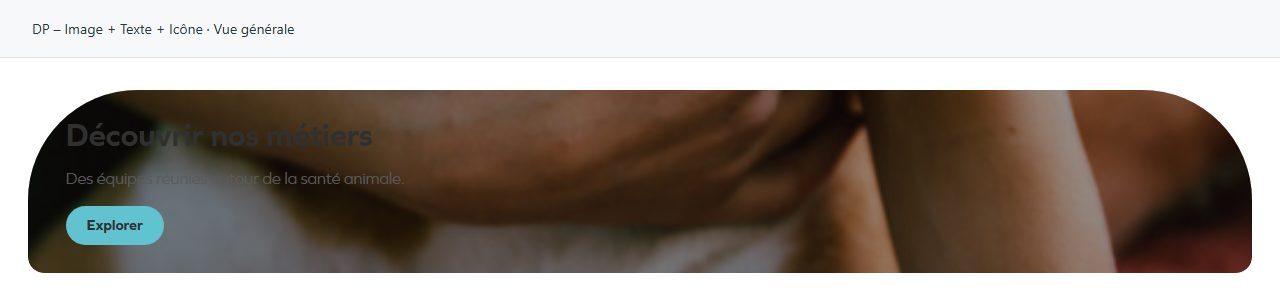
Combines a photograph, heading, text and action. Complete Image, Titre and Sous-titre, then the button if needed. Adjust content position and cropping without cutting off the subject. Also useful for a role, initiative or service; check the destination and readability over the photograph.
What you fill in
The content fields of this widget, in the order of the Elementor panel. Appearance settings are gathered in the reference.
Contenu
| Label in the plugin | How to complete it |
|---|---|
| Fond du bloc | Photo : le rendu d'origine. Les autres entrées posent un fond de la charte — dégradé ou teinte — et la couleur de texte que la charte a calculée pour lui. Options: Photo · Maillage de dégradé · Dégradé linéaire de la charte · Dégradé du dôme · Dégradé très clair · Teinte primaire · Teinte secondaire · Teinte tertiaire …. |
| Image | Choose the appropriate media file and check the result. Visible when “Fond du bloc” is Photo. |
| Image size | Image size group: choose the size served by WordPress; “Custom” reveals width and height. |
| Titre | Enter short, clear text. |
| Sous-titre / Texte | Enter the text, then check its length in the preview. |
| Icône | Choose an understandable icon that matches the subject. |
| Lien (optionnel) | Enter the full destination and test the link in the correct language. |
| Position du contenu | Choose a position or alignment that supports reading. Options: Gauche · Centre · Droite. |
| Position verticale du contenu | Choose a position or alignment that supports reading. Options: Haut · Centre · Bas. |
| Bouton — texte | Vide : aucun bouton, et c'est le lien ci-dessus qui rend la tuile entière cliquable. |
| Bouton — lien | Enter the full destination and test the link in the correct language. |
| Bouton — style | Choose an available option and check its effect in the preview. Options: Pilule pleine · Contour · Lien avec flèche. |
| Ajustement de l’image | Choose an available option and check its effect in the preview. Options: Couverture (recadrée) · Contenir (entière, bandes) · Remplir (déformée) · Aucun (taille réelle). |
| Position horizontale de l’image | Choose a position or alignment that supports reading. Options: Gauche · Centre · Droite. Visible when “Ajustement de l’image” is not Aucun (taille réelle). |
| Position verticale de l’image | Choose a position or alignment that supports reading. Options: Haut · Centre · Bas. Visible when “Ajustement de l’image” is not Aucun (taille réelle). |
Available designs
Overall view
Overall widget view. Use the content and options explained in this entry to adapt it to your page.